gmx_MMPBSA Calculations
This page describes common calculation problems and possible solutions.
Note
Most of the errors noted here are the result of inconsistent input files. Please read the documentation and make sure your files are consistent.
ValueError: could not convert string to float: '*************'
-
This error has two possible causes:
-
The structure supplied with
-cs,-rs, or-lsis inconsistent, or the trajectory has not been fitted and processed to remove PBC artifacts correctly. This is the most common cause and often occurs when the system is longer than one or more edges of the simulation box.Possible solutions:
Check for structure consistency
Visualize the structure contained in the structure input file given in the
-cs,-rs, or-lsoptions and make sure it is intact and centered (Figure 1, right). A "broken" structure (Figure 1, left) can produce inconsistent results.Generate the structure from a TPR file
gmx editconf -f md.tpr -o md.pdb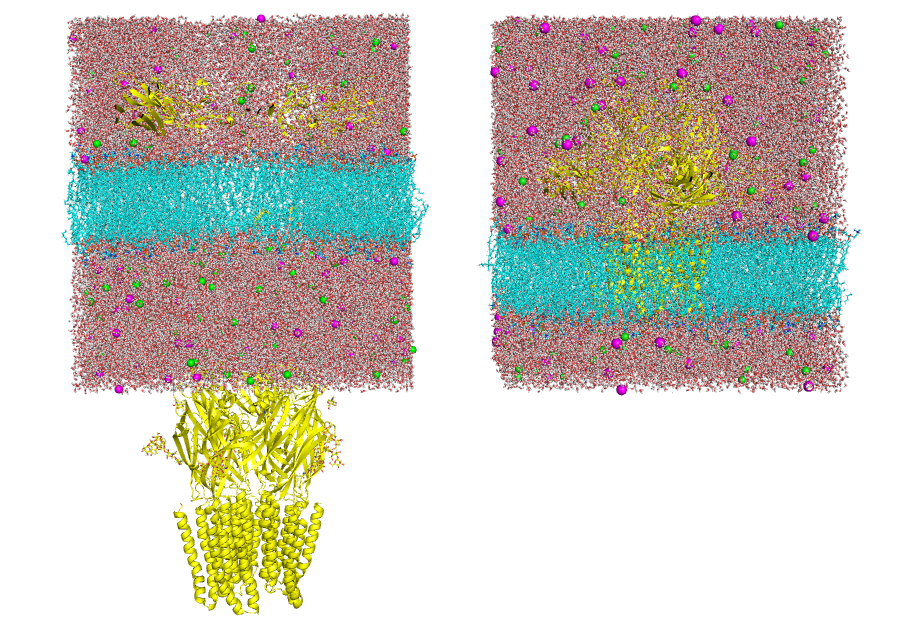
Figure 1. Visualization of two input structures. Left: "broken" structure; right: centered structure Make sure you have fitted the trajectory
Visualize the trajectory supplied with
-ct,-rt, or-ltand make sure PBC artifacts have been removed (Figure 2, right). An unfitted or broken trajectory (Figure 2, left) can produce inconsistent results.Steps:
-
Generate a group that contains both molecules
gmx make_ndx -n index.ndx

>1 | 12

>q
Assuming 1 is the receptor and 12 is the ligand. This creates a new group (number 20 in this example)
-
Remove PBC artifacts
gmx trjconv -s md.tpr -f md.xtc -o md_noPBC.xtc -pbc mol -center -n -ur compact center: 20 (created group) output: 0 -
Remove rotation and translation relative to the reference structure (optional)
gmx trjconv -s md.tpr -f md_noPBC.xtc -o md_fit.xtc -n -fit rot+trans fit: 20 (created group) output: 0 -
Inspect the processed trajectory
Make sure that the trajectory is intact and centered (Figure 2, right).
-
If the process is unsuccessful, consider another option such as
-pbc nojump(as suggested here).
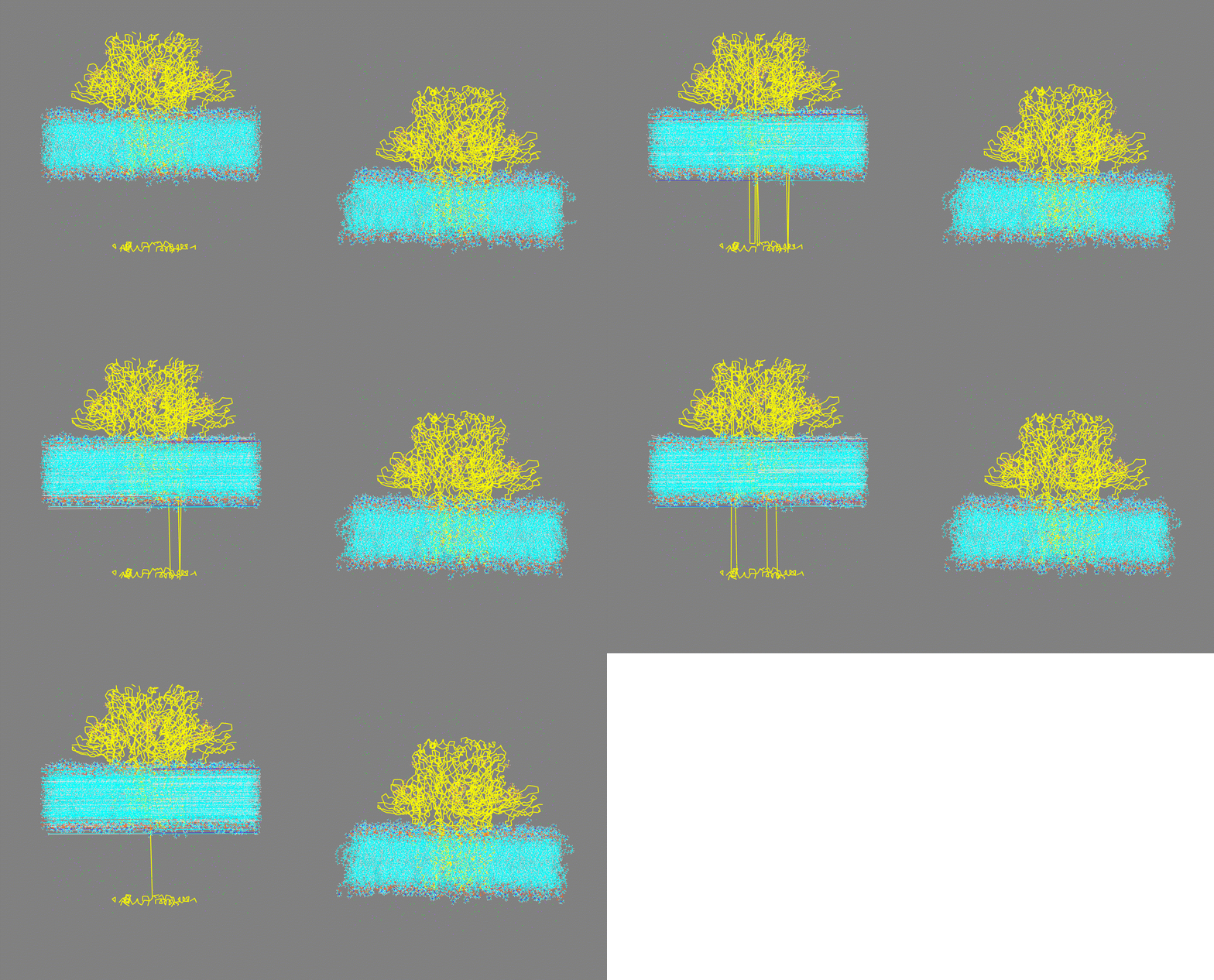
Figure 2. Visualization of two input trajectories. Left: trajectory with PBC artifacts; right: centered and fitted trajectory with PBC artifacts removed. -
-
You are trying to calculate the energetic contribution of a very large group. Technically, the energy value should not exceed 7 digits, so if you get a value higher than this, this error will occur. Although
gmx_MMPBSAcan handle very large systems, it cannot determine certain energetic terms. This is asanderlimitation when writing the output file.Possible solutions:
- The error could be solved by recompiling
sanderwith some modifications in the output function. However, this is not recommended since the error can be large. Another possible solution could be modifying the parameters of the calculation (solvent model, internal dielectric constant) or just performing the calculation for a part of the system (sub-system).
- The error could be solved by recompiling
-
I get high values for the solvation energy when using PB model
-
When using the PB model,
inp=1is the default. The total non-polar solvation free energy is modeled as a single term linearly proportional to the solvent-accessible surface area. To use the two-term cavity plus dispersion model, setinp=2explicitly. The dispersion term is computed with a surface-based integration method closely related to the PCM solvent for quantum chemical programs.Possible solutions:
-
You may want to try inp=1 and avoid the EDISPER contribution. This way, the total non-polar solvation free energy will be modeled as a single term linearly proportional to the solvent-accessible surface area. Just add
inp=1in the&pbnamelist variables in the input file. See example below: -
A legacy post-processing workaround can remove the stored EDISPER column from a rewritten report, but it is not an alternative PB calculation. Work on a copy of the complete result bundle, preserve the original
_GMXMMPBSA_infoand output files, change the copied value ofINPUT['pb']['inp']to 1, and run: -
--rewrite-outputreparses the energies already stored in the copied result; it does not rerun PB or recompute the alternateinp=1non-polar model. The rewritten report therefore reports the existing ENPOLAR term while omitting EDISPER from the displayed model metadata. Do not present it as a recalculatedinp=1result, and do not edit the original result in place.
Info
The deliberate
inp=1rerun and this post-processing workaround are different operations and can yield different values for the non-polar component of the solvation energy. (see here). Use one or another depending on your interest. -
-
Check this publication and see the drawbacks of modeling the total non-polar solvation free energy with two terms, i.e., the cavity term and the dispersion term. Sometimes there are imbalances in the cancellation of error between the two components and this can produce unrealistic non-polar energy values.
The NMODE calculation ends with an error
This error is often caused by insufficient RAM. NMODE calculations can require a considerable amount of memory, depending on the number of atoms in the system. Estimate the total memory requirement as RAM for one frame × number of threads.
Created: April 23, 2021 16:42:04